Pincel
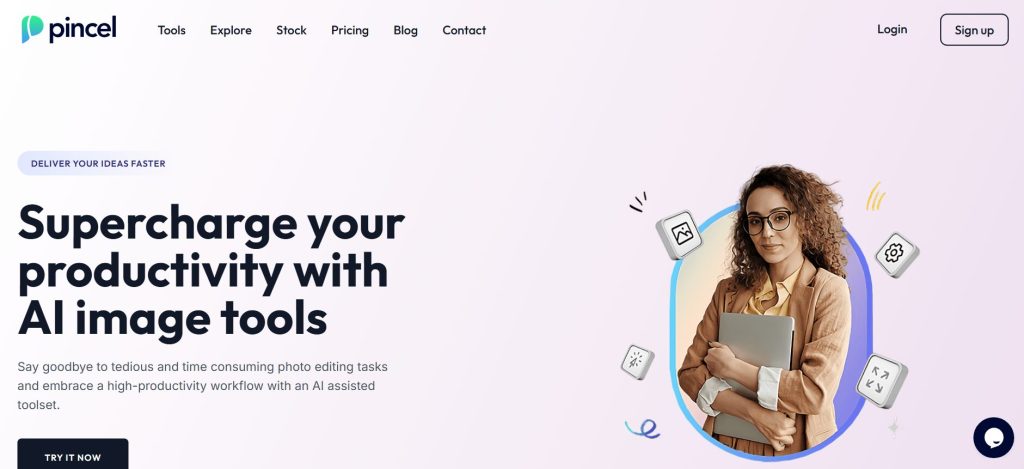
Pincel is an advanced AI-powered photo editor designed to transform images with just a prompt. It eliminates the need for complex brushing and manual adjustments, allowing users to effortlessly edit, enhance, and creatively transform photos using intuitive AI-driven tools. Pincel aims to simplify image manipulation and supercharge productivity for both casual users and professionals.
Key Features & Capabilities
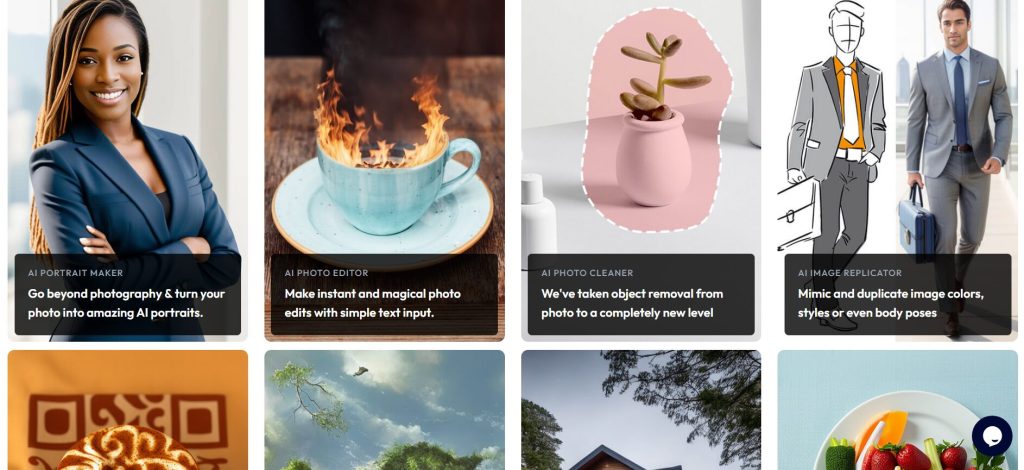
- AI Image Editor: Modifies images by simply describing desired changes using text prompts, often with an optional brush to highlight areas.
- AI Portrait Maker: Transforms photos into stylized AI-generated portraits and various artistic effects.
- AI Image Replicator: Mimics styles, colors, or poses from reference images onto a new photo.
- Background Remover: Effortlessly removes backgrounds from any photo with a single click.
- Face Swapper: Seamlessly swaps faces in images for fun or professional use cases.
- AI Upscaler: Enhances image resolution up to 4x without losing quality, adding natural details, texture, and depth.
- Virtual Dressing Room: Allows users to virtually try on outfits and experiment with different looks and styles.
- AI QR Code Art Maker: Creates functional and visually appealing QR codes by integrating artistic elements.
- AI Optical Illusion Maker: Generates captivating illusion photos and artistic patterns.
- Photo Extender: Expands and uncaps images seamlessly by intelligently filling in new areas.
- Object Remover: Effortlessly removes unwanted objects, text, watermarks, or people from photos.
- Generative Fill/Inpaint: Allows users to add or replace objects in images by simply brushing an area and describing what they want.
- Brand Kit Integration: Enables users to upload brand guidelines (logos, colors, fonts) for consistent branding in edits.
- Pincel AI Chat: An intelligent AI that can see and understand images, providing quotes, captions, and insights.
How to Use Pincel
Pincel is a web-based application accessible from any device with a web browser and internet connection. Here’s a general overview of how to use Pincel:
- Upload Your Photo: Begin by uploading the image you wish to edit to the Pincel platform.
- Select AI Tool: Choose the specific AI tool you want to use (e.g., AI Image Editor, Background Remover, Face Swapper).
- Provide Prompt/Brush Area: For tools like the AI Image Editor or Generative Fill, you will either type a text prompt describing the desired change or use a brush tool to highlight the area to be modified.
- Generate & Refine: Click the “Generate” button. Pincel’s AI will process your request and create the modified image. You can then refine your prompt or adjust the brushed areas if needed.
- Download Your Masterpiece: Once satisfied with the results, download your edited image in your desired format.
Common Use Cases for Pincel
- Social Media Content Creation: Quickly generate eye-catching visuals for platforms like Instagram, Facebook, and X.
- E-commerce Product Images: Enhance product photos by removing backgrounds, adding elements, changing models, or creating mock-ups for new designs.
- Personal Projects: Edit family photos, create personalized gifts, or craft unique art pieces and avatars.
- Marketing & Advertising: Create stunning visual ads, banners, and promotional materials without complex design software.
- Real Estate & Architecture: Visualize and plan interior or exterior designs, or change property features using AI.
- Fashion & Beauty: Virtually try on outfits, experiment with makeup and hairstyles, or modify body appearances in photos.
Frequently Asked Questions (FAQ)
Q: What is Pincel?
A: Pincel is an AI-powered online photo editor that simplifies complex image manipulations through intuitive, prompt-based workflows.
Q: How does Pincel use AI?
A: Pincel uses AI for various tasks including image generation, content modification (adding/removing objects), background removal, face swapping, image upscaling, and intelligent design suggestions.
Q: Is Pincel easy to use?
A: Pincel is designed for ease of use, simplifying photo editing tasks into intuitive steps that don’t require advanced design skills.
Q: What are the benefits of using Pincel?
A: Benefits include significant time savings in image editing, effortless creation of complex edits, access to advanced AI tools without software installation, and enhanced visual quality for various uses.
Q: Does Pincel require any software installation?
A: No, Pincel is a web-based application and can be accessed from any device with an internet connection and a web browser.
Q: Can I use Pincel for commercial purposes?
A: Yes, Pincel can be used for commercial projects, though users should ensure they have the necessary rights to the images they are editing.
Q: Is Pincel suitable for beginners in photo editing?
A: Yes, Pincel is designed to be user-friendly, making advanced AI editing accessible to everyone, regardless of their prior experience with photo editing software.
Q: What kind of support does Pincel offer?
A: Support options typically include online documentation, tutorials, and direct customer support from the founder.