TurboScribe
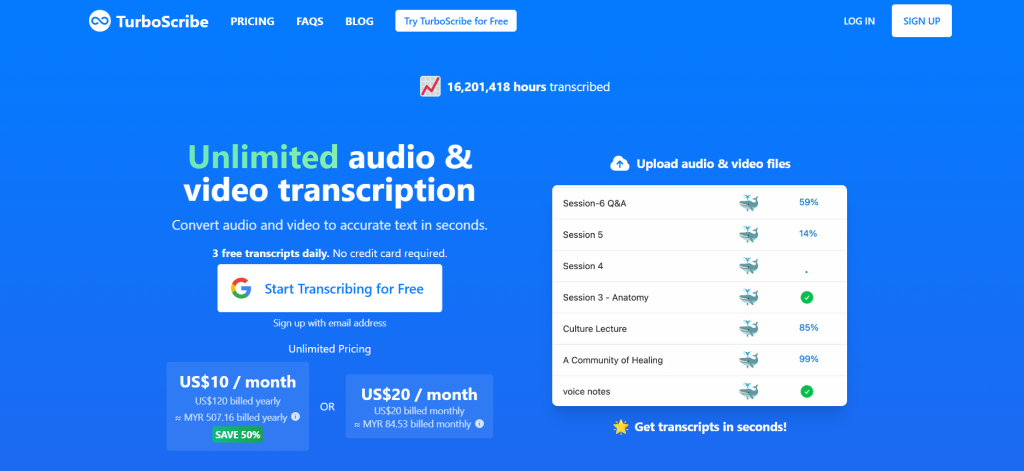
TurboScribe is an AI-powered transcription service that converts audio and video files into accurate text in seconds. The platform leverages advanced artificial intelligence, particularly OpenAI’s Whisper engine, to provide high-quality transcripts, aiming to simplify the process of converting spoken words into written text for various professional and personal needs.
Key Features & Capabilities
- High Accuracy Transcription: Utilizes advanced AI, powered by Whisper, to deliver highly accurate transcriptions, even in challenging audio conditions like background noise or varied accents.
- Multi-Language Support: Supports transcription in 98+ languages, catering to a global user base and diverse content.
- Built-in Translation: Offers the capability to translate transcripts or subtitles into over 134 languages.
- Speaker Recognition: Automatically identifies and labels different speakers in a transcript, enhancing readability for meetings, interviews, and podcasts.
- Large File Handling: Capable of transcribing long audio and video files, with support for uploads up to 10 hours or 5GB per file, and bulk uploads of up to 50 files simultaneously.
- Multiple Export Formats: Allows users to download transcripts in various formats, including DOCX, PDF, TXT, and subtitle formats (SRT, VTT).
- Ultra-fast Processing: Converts audio and video to text rapidly, often in mere minutes, thanks to its GPU-powered transcription engine.
- Audio Enhancement: Includes an AI feature to remove background noise and enhance speech for clearer transcription, recommended for poor audio quality.
- Private & Secure: Ensures data privacy and security with encrypted storage and strictly controlled access to user files and transcripts.
How to Use TurboScribe
Using TurboScribe is straightforward and designed for efficiency:
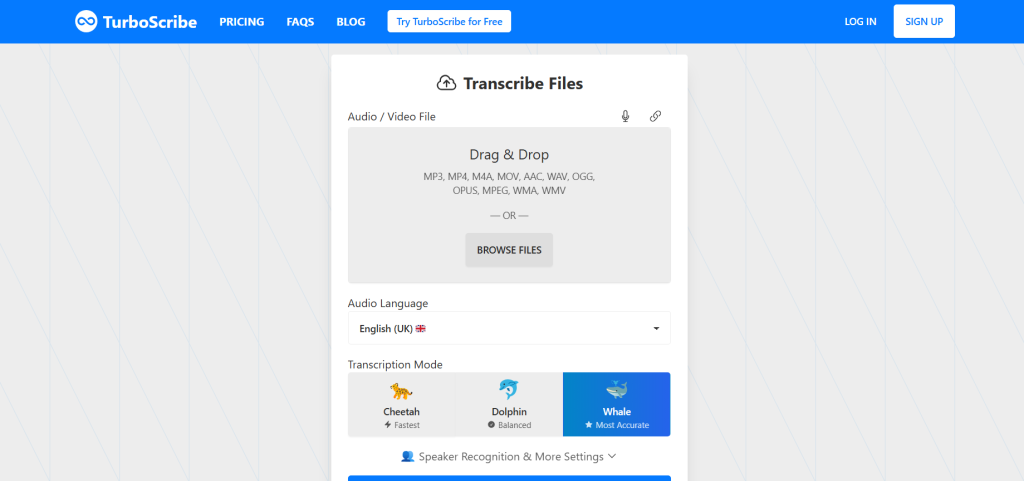
- Upload Your File: Navigate to your dashboard and upload your audio or video file by dragging and dropping or Browse your local files.
- Select Audio Language: Choose the language spoken in your audio or video file from the supported languages.
- Adjust Settings (Optional): You can enable speaker recognition (specify the number of speakers or let AI detect automatically) or choose to transcribe directly to English if your original audio is in another language.
- Click Transcribe: Once your file is uploaded and settings are configured, click the “Transcribe” button to start the process.
- Review and Download: After transcription is complete, your transcript will appear on your dashboard. You can open it to review, make any necessary edits, and then download it in your preferred format.
Common Use Cases for TurboScribe
- Meetings & Interviews: Quickly get accurate transcripts of business meetings, interviews, and conferences for record-keeping and follow-up.
- Educational Content: Convert lectures, seminars, and study materials into searchable text notes for students and educators.
- Content Creation: Transcribe podcasts, webinars, YouTube videos, and other media for blog posts, articles, or social media content.
- Legal & Medical Fields: Provides highly accurate transcripts for legal proceedings, medical dictations, and other compliance-critical documentation.
- Journalism: Efficiently transcribe interviews, press conferences, and field recordings for journalistic reporting.
- Accessibility: Generate captions and subtitles for videos to improve accessibility for hearing-impaired audiences.
Frequently Asked Questions (FAQ)
Q: What is TurboScribe?
A: TurboScribe is an AI-powered transcription service that converts audio and video files into accurate text quickly, supporting multiple languages and formats.
Q: How does TurboScribe use AI?
A: TurboScribe uses AI for highly accurate speech-to-text conversion, speaker recognition, language translation, and audio enhancement.
Q: Is TurboScribe easy to use?
A: Yes, TurboScribe is designed with a user-friendly interface that simplifies the file upload, transcription, and download process.
Q: What are the benefits of using TurboScribe?
A: Benefits include high accuracy, speed, extensive language support, speaker identification, large file handling, multiple export formats, and enhanced privacy and security.
Q: Does TurboScribe support multiple languages?
A: Yes, TurboScribe supports transcription in over 98 languages and translation into more than 134 languages.
Q: Can TurboScribe handle long audio and video files?
A: Yes, TurboScribe can handle large files, supporting uploads up to 10 hours or 5GB per file.
Q: Is TurboScribe suitable for small businesses?
A: Yes, TurboScribe can be beneficial for businesses of all sizes, as well as individuals, researchers, and educators, looking for efficient and accurate transcription solutions.
Q: What kind of support does TurboScribe offer?
A: Support options typically include online documentation, tutorials, and email support.